A forum for the people, by the people
MiFEED is a home for every creator and every listener. Anyone can start a show here, on any subject, and anyone can listen free, read the show notes, download, and share. Listening costs nothing, because a free audience is what advertisers and sponsors pay to reach. The front page belongs to the whole community of shows, and it began with one founding show, Human Services Stories: Management, Customer & Staff Voices.
ADVERTISEMENT
Featured products
From creators on MiFEED. Tap a card to listen, view, or buy at the product’s own store.
 Podcast, 96 episodes
Human Services Stories
Management, customer, and staff voices. Coaching and leadership stories for human services professionals, free to listen.
Listen free
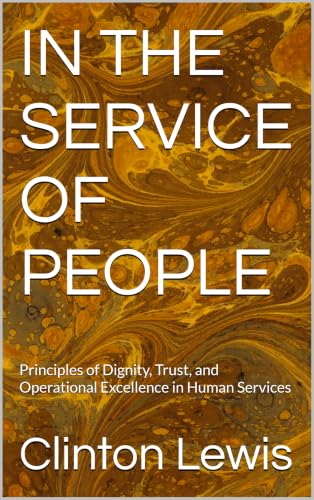 Kindle eBook
In the Service of People
Principles of dignity, trust, and operational excellence in human services, by Clinton Lewis.
View on Amazon
 Free download
Talkin Shit, the joke battle app
Point the camera, pick your mode, and battle with original jokes from a bank of 85,051.
Get it free
 $24.95 introductory
The Reminisce Project
A living archive of photos, artwork, and stories for the people who matter.
Visit the store
For creators
Start your own show
Name your show, publish audio or video episodes, and keep your work in standard files you can download and take anywhere. Nothing here holds a creator’s work hostage.
Record, publish, share
Publish an episode, read or write its transcript, and share it to the places your audience already is, in one tap from the episode itself.
One flat host subscription
Hosts manage their subscription on their own signed in pages, and no payment page is shown to the public.
For listeners
Find shows on what you love
Stories, comedy, teaching, faith, business, and everyday life: MiFEED is built for shows on every subject, from every kind of creator.
Listen your way
Press play on your phone, read the show notes when you cannot listen out loud, download an episode for later, and forward it to someone who needs it.
No account, no fee
Listening never asks you to sign up or sign in. Press play on any show right here on the public page, and carry a show’s feed into your own podcast app.
Browse topics

THE FOUNDING SHOW
Human Services Stories: Management, Customer & Staff Voices
Hosted by Clinton Lewis
All episodes
Host sign in
MiFEED is open to everyone. Browsing shows, searching episodes, reading show notes, and listening need no sign in at all, and the public pages show finished shows and episodes only.
Sign in is the hosts’ door. Signing up and signing in take a host straight to checkout: the MiFEED host subscription, $9.99 a month, collected through Stripe. Publishing, hosting, the Studio, Statistics, Monetize, and Distribution stay locked until checkout is complete, and then the host lands on their own page with those sections open. None of those sections appears in the public menus, and no statistics are shown to the public.
In this copy, sign in is local to this device and lasts for this visit. The hosted MiFEED checks the host account at sign in there, and checkout is the step that opens hosting.
Checkout
One step sits between sign up and hosting. Complete checkout here, and publishing and hosting open. Until checkout is complete, Publish, the Studio, Monetize, Distribution, and Statistics stay locked.
Payment is collected through Stripe, and Stripe has that one job in MiFEED. Pressing Check out with Stripe opens the Stripe payment page the owner set in Admin, in a new tab. This copy never completes a paid checkout on its own: with no Stripe payment link set in Admin, checkout stays incomplete here, and with a link set, checkout completes only when you confirm on this screen that you completed payment at Stripe. If a discount code brings due today to $0.00, nothing is owed, and checkout completes here without Stripe.
Publish an episode
Publishing on this site is owner only. Sign in as the owner to publish, edit, or remove episodes.
Publish audio or video episodes to your show. Everything created and stored in MiFEED stays a standard file, in the standard audio and video formats every platform accepts, and a creator can download or forward any file and upload it to another platform by following that platform’s own steps.
A published episode is saved to the site and added to the podcast feed in the same step, where the directories read it.
Your creator profile
Every part of your profile is your choice, and nothing here is required. Whatever you add is what the public sees: your picture and name travel with every episode, and your About me, your pictures, and your stories stand on your public creator page, which listeners reach by tapping your name on any episode. Anything you leave blank simply does not appear.
Your choice. With this on, your picture appears beside your name on every episode. With it off, your name still appears on your episodes, and your picture does not. Your creator page keeps its own heading either way.
Off by default. Some creators let their profile speak for itself. Until you turn this on, your name does not appear on your episodes or your creator page.
Your pictures
Add headshots and other pictures to your public creator page.
Your stories
Short written pieces that stand on your creator page beside your episodes.
Publishing adds the episode to the Home page and to the podcast feed at getmifeed.com/feed.xml in one step, and it plays through the same player.
Membership
Membership is the host subscription page, and the host subscription is the one subscription in MiFEED. Anyone who hosts a podcast, a blog, or a video blog through this site pays $9.99 a month, and the fee attaches at sign up itself: checkout is the step a host completes right after signing up, before publishing and hosting open. Stripe has one job in MiFEED: collecting that host subscription at checkout.
Anyone can listen on the public pages with no account and no sign in. Accounts belong to hosts alone.
Host subscription: $9.99 a month
Your subscription
MiFEED host subscription: $9.99 a month, collected through Stripe.
The MiFEED model
MiFEED works the way YouTube and the social media sites work: people come to be entertained for free, and free listening is what grows the audience. Hosts pay the $9.99 monthly subscription to keep a podcast, a blog, or a video blog here, and listening on the public pages takes no account and no fee. The audience that free listening builds is what advertisers and sponsors pay to reach, so advertising is the revenue path that audience size creates, alongside the sponsor and programmatic steps below.
Monetize
Sponsorship opens in steps, not at one line. Sponsors qualify a show on downloads, the industry counting standard, and each step below names the mark and what it opens.
1,000 downloads in 30 days
Entry sponsor marketplaces. The published entry mark for the large host read ad marketplaces. Your show total in the last 30 days counts here.
5,000 downloads per episode in 30 days
Direct brand sponsorships. The mark where direct brand deals and host read sponsorship become realistic. Your best episode in its first 30 days counts here.
Sponsors pay on the counting standard, not on raw plays, and sponsor earnings estimates are figured from downloads per episode in the first 30 days.
Sponsors for this show
Sponsors of this show will appear here. Sponsors you add here yourself are your direct sponsors.
Add a sponsor
Memberships on Patreon
A host who keeps a Patreon page can send listeners there to subscribe as members. Episodes reach members on Patreon through Patreon’s Sync your feed, using the same MiFEED feed address, and members listen through a private feed link or Spotify. Place the Patreon page link in the Link manager in Admin, and it appears in the Links box on this page, where listeners can find it and subscribe.
Studio
Record an episode, try the standard sounds and music beds, and write the script. A finished take can be sent to Publish, and the words you record or write become the episode transcript. MiFEED stores audio and video files up to 15 MB.
Standard sounds
The sound board carried in the Studio. Press one to hear it.
Music beds
Loops for under a recording. Press one to start it, and press it again to stop it.
Script
Write or paste the words for the episode. Read in the Studio during a session, the script is the transcript, word for word.
0 words, about 0 minutes read aloud.
Distribution
How distribution works
Every episode published on MiFEED enters the show feed at once. Podcast directories do not take episode uploads, and no platform lets MiFEED open an account or submit a show in a creator’s name. Distribution is a one time connection for each directory, and then it is automatic.
- Publish the episode on MiFEED. It is in the feed in the same step.
- For each directory below, press Submit, sign in with your own account at that directory, and paste the show feed address. If the show is already listed there, update the feed address inside that account instead, and the listing and its followers stay.
- After the directory approves the feed, it reads the feed on its own schedule. Every new episode appears there on its own, with no further uploads.
Overcast takes no submission at all. It mirrors Apple Podcasts, so a show approved on Apple Podcasts appears on Overcast on its own.
Each card below names the account to have ready and opens that directory’s own submission page. Statuses are shown honestly: a directory reads as connected only after its submission is approved.
The show RSS feed
This is the live MiFEED feed: titles, season and episode numbers, dates, descriptions, and audio, all served from getmifeed.com. It is the address to paste into every directory below. Where a show is already listed at a directory, update the feed address inside that account, and the listing and its followers stay.
https://getmifeed.com/feed.xml
Statistics
The catalog figures below are counted from the 96 episodes in this program, pulled from the live feed on November 20, 2026.
Episodes by month, 2026
Longest and shortest
Download statistics
Downloads through the feed and through the player on this site are counted by the MiFEED tracker. The record runs from the site launch, November 20, 2026, forward. Sign in as the owner to see the numbers.
The last 30 days total is the monetization figure. Sponsorship qualification runs on downloads.
How downloads are counted
Downloads are counted from the download events recorded by the MiFEED tracker, one event for every episode file request through the feed or the site player. Requests from obvious bots and crawlers are excluded, and repeated requests from the same listener for the same episode on the same day count once, following the IAB podcast measurement approach. Every counted download traces back to a stored event. Nothing is estimated, rounded up, or filled in. Download locations come from the free DB-IP City Lite database. IP Geolocation by DB-IP (https://db-ip.com).
This copy, this session
Counted live as you use this copy. The counts start over when the page is closed.
Administration
Owner tools. In this copy, records are kept on this device for the session. In the hosted MiFEED, the same panels write to the shared accounts and the audit list.
Owner sign in for saving
Saving banners, links, and board changes on the live site needs the owner sign in, with the same email and password as the owner box on the Publish page. The host sign in that opens this page is a separate sign in, and it cannot save to the live site by itself.
Platform statistics
Owner only. The same download board as the Statistics page, across every show on this MiFEED site. Today there is one show, and its totals are the platform totals.
Reports
Owner only. Pick the range with the buttons above, then generate a report for that range. A report carries the MiFEED name, the date it was generated, the scope it covers, the summary totals, the per episode table, the per day series, the geography tables, the last 30 days monetization figure, and the note on how downloads are counted.
The spreadsheet report is a real Excel workbook (.xlsx) when this server can build one, and a CSV file that opens in Excel when it cannot. The report button will say which one this server produces once the statistics load. The PDF report is a clean black and white page that opens in a new tab, ready to print or save as PDF.
Detailed report
Owner only. The full report for the range picked above, rendered on this page: the report header and platform totals first, then every table for the show. The spreadsheet and print or PDF buttons above carry the same figures off the page.
Host checkout
Hosts pay at checkout, and checkout is the only place a host payment happens. Right after a host signs up and signs in, checkout presents the MiFEED host subscription exactly as it is: $9.99 a month, collected through Stripe. Publishing and hosting stay locked until checkout is complete. There is no separate payment recording here, because checkout itself is the record.
Stripe payment link: not set. Check out with Stripe cannot complete a paid checkout in this copy until a link is set here.
Discount codes
These are the owner’s discount codes, kept on this page. Copy one and send it to the person yourself, or place it in your own advertisements. The host enters it in the discount code box at checkout and presses Apply before completing checkout. A welcome code makes a host’s first 30 days free, counted from sign up, with the $9.99 a month subscription starting after those 30 days. A single use free code waives a host’s $9.99 entirely, and it works once only: when a host completes checkout with it, the code is marked used in the list below and cannot be redeemed again.
WELCOME30Standing welcome code. First 30 days of hosting free, then $9.99 a month.
Advertising banners
Banners you save here appear in the side rail on wide screens and stacked on phones, on every page of the site. A banner needs a headline. The text, the link, and the button wording are yours to set, and the Show this banner switch controls whether visitors see it. Banners appear in the order listed here. These are saved on the site itself.
Link manager
Links you save here appear under Links in the side rail, for other nonprofits, partner sites, and any page you want to point people to. To link to the message board on this site, use the link address #board. A link needs a name and an address, and the Show this link switch controls whether visitors see it. These are saved on the site itself.
Message board moderation
The newest board messages are listed here. Delete removes a message from the board for everyone.
Diagnostic check
The check sees what is inside MiFEED and cannot see the hosting account or the server itself.
Content rule
MiFEED content rule: material that is homophobic, racist, sexist, xenophobic, or ageist is refused and is never saved.
Message board
Leave a message for Clinton and for other listeners. Messages appear here for everyone, newest first. Please keep messages welcoming and on the subject.
Episodes
About MiFEED
MiFEED is a forum for the people, by the people, introducing everyone’s voice and opinion to the world.
MiFEED is a home for every creator and every listener. Anyone can start a show here, on any subject, and anyone can listen free, read the transcript, download, and share. The front page belongs to the whole community of shows, not to any one creator, and every new show that joins stands on it beside the shows already here.
Anyone can listen on the public pages with no account and no fee. Hosts pay a $9.99 monthly subscription, collected through Stripe, to keep a podcast, a blog, or a video blog on MiFEED, and the audience that free listening builds is what brings advertising and sponsors.
MiFEED began with one founding show, Human Services Stories: Management, Customer & Staff Voices, and it grows from there, one voice at a time.
This is the Master version of MiFEED, the founder edition, with the Studio included. The Public edition of MiFEED is this same system with the Studio removed.
Everything created and stored in MiFEED stays a standard file, in the standard audio and video formats every platform accepts. A creator can download or forward any file and upload it to another platform by following that platform’s own steps. Nothing here holds a creator’s work hostage.
MiFEED content rule: material that is homophobic, racist, sexist, xenophobic, or ageist is refused and is never saved.
From the founder
MiFEED is made by LEWIS, LLC, which also makes NationFinds, MiCOACH, MiLIFE, MiBOSS, Talkin Shit, and Reminisce. Those are announced in episodes from time to time. The platform itself belongs to everyone who creates and listens here.
Put MiFEED on your phone home screen
- Open MiFEED in your phone browser.
- Tap the share button in the browser, the square with an arrow on an iPhone, or the menu on Android.
- Choose Add to Home Screen.
- MiFEED now sits on your home screen with its own icon and opens with one tap, like any app.
Downloads follow the device pattern: a downloaded video saves into the Photos app on an iPhone, or the media library on Android, and audio recordings are the exception, saving into Files or Downloads, because Photos does not hold audio.
Product information
Standard sound sources
- Applause. Audience applause in a concert hall, recorded by Sandermotions. Source: Wikimedia Commons, from Freesound sound 277021. License: Creative Commons CC0 1.0 Universal Public Domain Dedication.
- Laughter. Audience laughter, by Sleepytomcat (Jens Kraglund). Source: Wikimedia Commons. License: public domain.
- Cheering. Crowd clapping and cheering, by starlite. Source: Wikimedia Commons, from pdsounds.org. License: public domain.
- Slapping. A single sharp strike, from Thwack Sounds by AntumDeluge (Jordan Irwin). Source: OpenGameArt.org. License: Creative Commons CC0.
Standard music sources
- Heavenly Loop (calm). A seamless ambient loop, by isaiah658. Source: OpenGameArt.org, Heavenly Loop. License: Creative Commons CC0 1.0 Universal Public Domain Dedication.
- Happy Vibes (upbeat). A light upbeat loopable tune, by Ruskerdax. Source: OpenGameArt.org, Happy Vibes. License: Creative Commons CC0 1.0 Universal Public Domain Dedication.
- Jazz Improvisation (jazzy). One full loop of the piece Jazz Improvisation, by Pro Sensory (Alex McCulloch). Source: OpenGameArt.org, Jazz Improvisation. License: Creative Commons CC0 1.0 Universal Public Domain Dedication.
- Lofi Hip Hop Loop (beat). A simple lofi beat loop, by omfgdude. Source: OpenGameArt.org, Lofi Hip Hop Loop. License: Creative Commons CC0 1.0 Universal Public Domain Dedication.
Help
Ask a question about any page in MiFEED, or browse the common answers below. Answers come from the MiFEED help library, and the library grows as new questions come in.
Common questions
MiFEED User Agreement
Effective November 21, 2026
MiFEED is a podcast, blog, and video blog hosting platform at getmifeed.com, owned and operated by LEWIS, LLC, a Michigan limited liability company based in Kalamazoo, Michigan. In this agreement, MiFEED and LEWIS, LLC are called "MiFEED," "we," or "us," and the person or organization that opens a host account is called "you" or "the host."
By creating a host account, completing checkout, or publishing through MiFEED, you agree to this User Agreement. If you do not agree, do not sign up. Listening to shows on MiFEED is free, needs no account, and is not covered by the host terms in this agreement except for the content rules in Section 6, which apply to everyone who uses the site.
1. Account terms
1. You must be 18 years of age or older to hold a host account, because a host account carries a paid subscription and a legal agreement.
2. You must provide accurate information when you sign up, including your name, your show name, and a valid email address, and you must keep that information current.
3. You are responsible for keeping your sign in information private and for everything that happens under your account. Tell us through the Help page if you believe someone else has used your account.
4. One host account covers the shows listed under it. You may not sell, rent, or transfer your account to another person.
5. You may not use MiFEED for any illegal purpose or in a way that violates the laws that apply to you, including copyright law.
2. The service
MiFEED provides podcast, blog, and video blog hosting, a recording and publishing Studio, a feed address issued by MiFEED for each show, download statistics for each show and episode, distribution guidance for the podcast directories, and the advertising and sponsorship program described in Section 7. The public pages of MiFEED are open to everyone. Listeners hold no accounts, pay nothing, and simply listen.
MiFEED works in standard formats with a standard RSS feed. There is no lock in. Your content stays yours, and Section 9 explains how you can take it with you.
3. Host subscription and billing
1. The only fee on MiFEED is the host subscription: $9.99 a month, billed monthly, for each host account.
2. The subscription is collected through Stripe. Stripe collects the payment, and MiFEED does not receive or store your full card number.
3. Checkout comes before publishing. A new host signs up, completes checkout, and then publishing, hosting, the Studio, Statistics, Monetize, and Distribution open for that host.
4. If a free period applies to your account, the subscription begins when that free period ends, and the first $9.99 charge falls on that day.
5. The subscription renews each month until you cancel. You may cancel at any time from your Membership page. Cancellation stops the next monthly charge, and your hosting stays open until the end of the month already paid for.
6. Monthly charges already collected are not refunded for a partial month, except where the law requires a refund.
7. MiFEED may change the subscription price for future billing periods. A price change will be posted on the site and noted in this agreement before it takes effect for your account, and it will never change a month you have already paid for.
4. Episode and content submission terms
1. You keep full ownership of your shows, episodes, artwork, and other material you publish through MiFEED.
2. You promise that you own your material or hold every right and permission needed to publish it, including music, clips, artwork, and guest appearances.
3. By publishing through MiFEED, you give MiFEED a license to host, store, copy, stream, distribute, and display your material on the platform, in your show feed, and in the directories your feed reaches, and to mention your show by name when MiFEED describes or promotes the platform. This license ends for material you remove, except for copies already delivered to listeners and directories.
4. You are responsible for your material, including its accuracy, its legality, and the promises you make to your own sponsors and guests.
5. User generated content
Shows on MiFEED belong to their hosts. The views, statements, and opinions in a show are the host's own and are not the views of MiFEED or LEWIS, LLC. MiFEED does not review every episode before it publishes, and a show's presence on the platform is not an endorsement of its content.
6. Content rules and honesty policy
These rules apply to every show, episode, page, message, and upload on MiFEED, and they cannot be switched off.
1. No material that is homophobic, racist, sexist, xenophobic, or ageist is permitted anywhere on the platform.
2. No material that infringes another person's copyright, trademark, or other rights is permitted, unless you personally hold the right or a license to use it.
3. No impersonation of another person or organization, and no misleading show titles, descriptions, or artwork.
4. No fraud against the statistics. A host may not inflate downloads, use automated tools to generate downloads, buy downloads, or misrepresent a show's numbers to a sponsor. Download numbers decide sponsorship money, and false numbers are a serious breach of this agreement.
5. No unlawful material, and no material that violates the privacy of another person.
6. MiFEED may remove material that breaks these rules, may warn or suspend the host, and may end the account of a host who repeats a violation, as Section 10 explains.
7. Advertising and sponsorship
MiFEED earns its income from advertising, in the pattern of the large video and audio platforms. Listening stays free because advertising carries the platform. The fee structure below is part of this agreement.
1. Deals you bring. A sponsorship or advertising deal that you arrange yourself, with your own sponsor, is yours. You keep 100 percent of it, and MiFEED takes no share.
2. Deals MiFEED sells and you read. When MiFEED sells a sponsorship for your show and you read or present it, you receive 70 percent of the amount the sponsor pays for your show and MiFEED keeps 30 percent.
3. Programmatic advertising. When MiFEED places programmatic advertising in your show, you receive 50 percent of the amount the advertising brings in for your show. When a show passes 50,000 downloads in a month, the host share for that show rises to 60 percent from the following month.
4. Standard rates. MiFEED sells sponsorships at the standard rate card of $18 for a pre roll placement, $25 for a mid roll placement, and $10 for a post roll placement, each priced per 1,000 downloads. MiFEED may update the rate card for future campaigns and will post the current card on the Monetize page.
5. Your approval. Every sponsor that runs on your show needs your approval first. You may decline any sponsor, for any reason, and declining never harms your account.
6. No exclusivity. Sponsorship through MiFEED is not exclusive. You may run your own sponsors at the same time, subject to the approval rule above for MiFEED sold sponsors.
7. Qualification. A show qualifies for MiFEED sold sponsorships on downloads alone, beginning at about 1,000 downloads in a 30 day period. Episode length never counts toward qualification, and no other factor replaces downloads.
8. Payment. Sponsorship earnings are paid to the host after MiFEED receives the sponsor's payment, on the payment schedule shown on the Monetize page. Earnings figures come from the download statistics in Section 8.
8. Download statistics and measurement
Sponsorship money follows downloads, so MiFEED counts downloads carefully and the same way for every show.
1. A download is counted once for each listener, for each episode, in each day, following the pattern of the IAB Podcast Measurement Technical Guidelines. Repeat requests from the same listener for the same episode on the same day count once. Requests from known bots, crawlers, and scanners are excluded.
2. The Statistics pages are the official record of a show's downloads, including totals by today, the last 7 days, the last 30 days, and all time, and the market reports by country, state or region, and city. A host may show these pages and reports to sponsors.
3. Listener locations are approximate, at the city level, and come from the network address of the request. MiFEED stores network addresses only in a one way hashed form and never stores the raw address with a download record.
4. MiFEED does not round, estimate, or inflate download counts. If a counting error is found, MiFEED will correct the record and note the correction on the Statistics page.
9. Export and leaving
There is no lock in at MiFEED. You may export your episodes and show information in standard formats at any time while your account is open. If you cancel, your material stays available for export for 30 days after the end of your last paid month, and MiFEED will provide your feed details so your show can move to another host. After that window, MiFEED may delete your material from the platform.
10. Cancellation and termination
1. You may cancel your subscription at any time, as Section 3 explains.
2. MiFEED may suspend or end a host account that breaks this agreement, that publishes material barred by Section 6, that commits fraud against the statistics, or that stops paying the subscription. Where the situation allows, MiFEED will warn the host first and give a chance to correct the problem.
3. Sections that by their nature should continue after an account ends, including ownership, sponsorship amounts already earned, liability, and governing law, continue to apply.
11. Copyright
MiFEED respects the rights of creators. If you believe material on MiFEED infringes your copyright, send a notice through the Help page at getmifeed.com with the name of the work, where it appears on MiFEED, and your contact information. MiFEED will review the notice and remove infringing material. A host who repeatedly infringes loses the account.
12. Warranty and liability
MiFEED is provided as it is and as available. MiFEED works to keep the platform running, feeds flowing, and statistics accurate, and no promise is made that the service will never be interrupted. To the fullest extent the law allows, the total liability of MiFEED and LEWIS, LLC under this agreement is limited to the subscription amounts you paid in the 12 months before the claim arose. Neither MiFEED nor the host is liable to the other for indirect or consequential losses, except where the law does not allow that limit.
You agree to cover MiFEED and LEWIS, LLC against claims, damages, and reasonable costs that arise from your material, your use of the platform, or your breach of this agreement.
13. Data use
MiFEED collects the account information you provide at sign up and the download statistics described in Section 8, and uses them to run your account, operate the platform, produce your statistics and reports, and run the advertising program. MiFEED does not sell personal information. Account information is visible to the site owner in Administration for support and safety, and passwords are never visible to anyone, including the owner.
14. Changes to this agreement
MiFEED may update this agreement as the platform grows. The current version always stands on the User Agreement page at getmifeed.com, with its effective date at the top. A change that affects price or the advertising fee structure will be posted before it takes effect. Continuing to host on MiFEED after a change takes effect means you accept the updated agreement.
15. Governing law
This agreement is governed by the laws of the State of Michigan. Any dispute under this agreement will be brought in the state or federal courts located in Michigan, and both sides accept those courts for that purpose.
16. Contact
Questions about this agreement go through the Help page at getmifeed.com. MiFEED is operated by LEWIS, LLC, Kalamazoo, Michigan.
By checking the agreement box on the sign up page and signing up, you confirm that you have read this agreement, that you understand it, and that you agree to be bound by it.
MiFEED, the Master version, by LEWIS, LLC. User Agreement · Help
Every episode is served from the MiFEED feed at getmifeed.com.